For most composers, a MIDI controller, DAW, and software synthesizer offer the most flexible starting workflow. Choose a hardware synthesizer when hands-on control and computer-free writing are more likely to keep you creating.
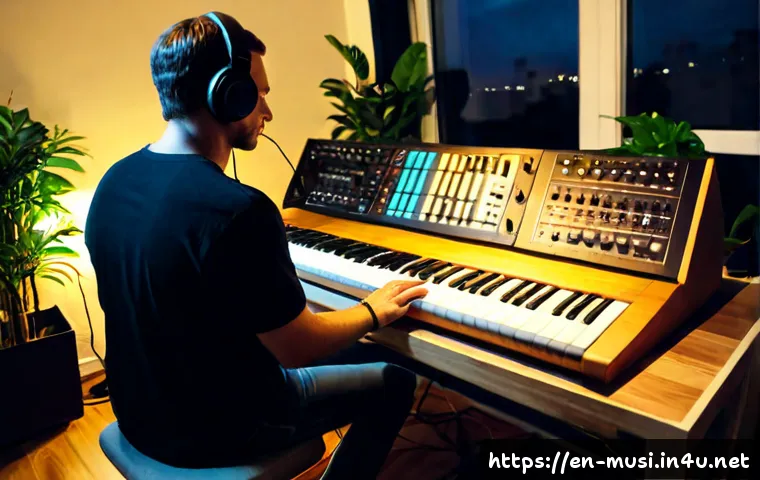
The right choice is less about having the most advanced synthesis engine and more about how quickly you can turn an idea into a usable musical part. Software instruments can make project recall and broad sound libraries easier, while hardware can make experimentation feel more immediate.
A hybrid setup can combine both approaches through MIDI. Before comparing models, plugins, or subscriptions, consider your existing gear, available space, preferred genre, and the way you already write songs.
At a Glance
- Software synths plus a DAW are often the most flexible choice for arranging, editing, and recalling full compositions.
- Hardware synthesizers suit writers who benefit from physical controls and standalone operation.
- A MIDI controller and software instrument can be a practical middle ground for a first composition-focused setup.
| Setup Type | Best Workflow Fit | Sound and Recall | Portability and Expansion |
|---|---|---|---|
| Hardware synthesizer | Hands-on writing, sound exploration, performance-focused sessions | Direct control; project recall may require a more deliberate workflow | Standalone operation; requires physical space and can be expanded with MIDI gear |
| Software synthesizer | DAW-based composition, detailed arranging, editing, and mixing | Broad library options and easier recall within a project | Depends on a compatible computer and music software setup |
| MIDI controller plus DAW | Beginners, songwriters, and producers who want a flexible starting point | Uses virtual instruments and MIDI programming for many sound choices | Usually easy to expand with plugins, controllers, or later hardware |
| Hybrid setup | Writers who want tactile control alongside DAW editing | Combines hardware character with software recall and arrangement tools | Can grow over time, but compatibility and routing should be checked |
How a Synthesizer Supports Better Composition
The Fastest Answer: Choose the Workflow That Keeps You Writing
A synthesizer helps composition when it makes ideas easier to capture. That may mean playing a chord progression from a keyboard, programming notes into a MIDI clip, building a repeating sequence, or changing a sound until it suggests a new section. You do not need traditional piano technique to use a synthesizer creatively. Step sequencing, MIDI programming, automation, and simple note editing can all support the writing process.
The important question is not whether a hardware synth or virtual instrument is objectively better. Ask which one removes the most friction between hearing an idea and arranging it. A songwriter who works in a DAW may value quick recall. A performer may value a physical instrument that can be used without opening a computer.
Using Synth Sounds for Chords, Basslines, Hooks, and Transitions
A single synth can contribute several useful roles in a composition. A soft pad can support a chorus or intro. A bass sound can establish the low-end movement. A lead can carry a melodic hook, while a short pluck can add rhythmic definition. Percussive synth sounds can also create motion between larger sections.
Try starting with one clear role rather than browsing every preset. If the song needs momentum, write a bassline or rhythmic pluck part. If it needs width or space, begin with chords and a pad-like texture. This keeps sound selection connected to arrangement instead of turning the session into endless preset auditioning.
Why Sound Selection Changes Arrangement Decisions
Sound choice influences the space available for every other part. Bass, pads, leads, plucks, and percussion sounds occupy different frequency and rhythmic roles. A dense pad may support harmony but leave less room for a busy vocal or lead. A short, bright pluck can add rhythm without holding space for as long.
Use contrast deliberately. If your verse contains sustained chords, a more rhythmic element can help the chorus feel different. If a bass part is active, a simpler chord texture may make the arrangement clearer. The goal is not to use every sound category; it is to give each chosen sound a job.
Hardware, Software, or a Hybrid Setup?
Hands-On Hardware: Strengths, Limits, and Ideal Users
Hardware synthesizers generally offer hands-on controls and standalone operation. Turning a physical knob or adjusting a filter can make sound design feel immediate, especially when you are writing through experimentation. This can suit electronic producers, live performers, and composers who prefer to stay away from a screen during the first idea stage.
However, hardware does not automatically simplify a full production workflow. A DAW is usually still needed for recording, arranging, editing, mixing, and exporting a multi-track composition. Before buying, consider where the instrument will sit, how it will connect with your existing setup, and whether its workflow fits your normal writing habits.
Software Instruments: Flexibility, Recall, and Library Value
Software synthesizers typically provide broader sound libraries and easier project recall. When a synth is saved inside a DAW project, it can be easier to return to a previous arrangement and continue from the same settings. This is useful for composers who work across multiple songs, revise demos, or want to compare different sound directions without rebuilding a patch manually.
Software also gives you access to different synthesis methods, including subtractive, FM, wavetable, additive, and sample-based synthesis. No method guarantees better music. The more useful choice is the one whose sounds and controls help you make decisions quickly. When evaluating synth plugins or plugin subscriptions, check the current compatibility, included library details, and subscription terms on the relevant product page.
MIDI Controller Plus DAW: The Practical Middle Ground
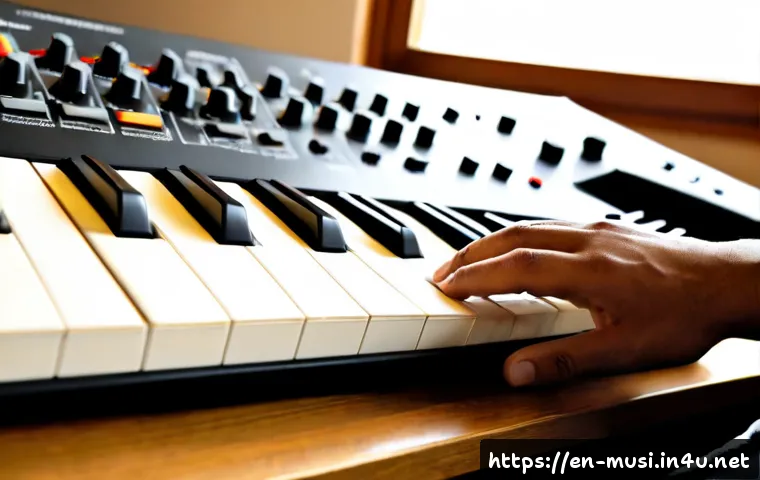
A MIDI controller does not generate the sound by itself, but it can send performance and control data to a DAW or software instrument through MIDI. This makes it a flexible option for writers who want keys and knobs without committing immediately to a dedicated hardware synthesizer.
For many beginners, this approach keeps the studio setup focused. You can play chords, basslines, and melodies, then edit the MIDI notes after recording. You can also automate sound changes later, which means the first performance does not need to be perfect. A controller can remain useful even if you later add hardware synthesizers.
Comparison Table: Cost Categories, Workflow, Portability, and Expansion
Think in terms of total setup cost, not only the instrument itself. A hardware option may need space and appropriate connections. A software option depends on a computer, a compatible DAW, and possibly an audio interface or monitoring arrangement. Pricing, bundled software, sound libraries, and subscription conditions vary by version, retailer, and region, so confirm the current details before purchasing.
Build a Composition Workflow Before Buying More Gear
Start With a Chord, Rhythm, or Sound-Design Prompt
Give each session a narrow starting point. Write four chords with a simple sound. Program a short bass rhythm. Make one evolving texture and let it suggest a transition. This approach is more productive than waiting for the perfect preset to produce an entire song.
A synthesizer can be both an instrument and a writing prompt. If a sound has a strong rhythmic attack, use it to explore groove. If it has a long, smooth tail, use it to test harmony and space. Let the sound inspire the part, but do not let novelty replace an arrangement decision.
Record MIDI First, Then Refine Tone and Automation
When working in a DAW, recording MIDI first can separate composition from detailed sound design. Capture the chord movement, melody, or bassline while the idea is fresh. Then adjust the synth tone, note length, velocity, filter movement, or other automation after the musical role is clear.
This is especially useful when comparing virtual instruments. The same MIDI part can be tested with different bass, pad, lead, or sample-based sounds. It helps you judge whether a new plugin adds a useful capability rather than simply duplicating a sound library you already own.
Create Contrast With Register, Rhythm, Texture, and Filtering
Arrangement contrast does not require adding many tracks. Move one part into a different register. Change a sustained pattern into a short rhythmic one. Reduce texture in a verse, then introduce a wider pad or lead in a chorus. Filtering can also change the perceived energy of a part over time.

Fewer intentional parts are often easier to arrange than many competing sounds. If a section feels crowded, first ask whether two sounds are doing the same job.
Common Setup Mistakes That Slow Down Songwriting
Buying for Presets Instead of Usable Workflow
A large preset list may be appealing, but it does not guarantee a faster composition process. Consider whether you can quickly find and shape the sounds you need for your usual work: accompaniment, bass, hooks, textures, or transitions. A smaller sound palette that you understand can be more useful than a complex instrument that interrupts your writing flow.
Ignoring DAW, MIDI, Audio Interface, and Computer Compatibility
MIDI lets controllers, keyboards, synthesizers, and DAWs exchange performance and control data, but a complete setup still depends on compatible connections and software. If you plan to record, arrange, edit, mix, and export full tracks, you will usually need a DAW. Check the current computer compatibility, connection options, bundled software, and audio requirements before choosing hardware or a synthesizer software package.
Overlapping Sound Libraries and Underusing the Tools Already Owned
Before adding another virtual instrument or hardware synth, list the sounds you already have. Do you genuinely lack a particular synthesis approach, control method, or composition workflow? Or are several libraries covering the same roles? This check can prevent unnecessary overlap and make plugin subscriptions or new studio gear easier to evaluate.
Mistaking Complex Synthesis for Creative Progress
Deep synthesis can be rewarding, but complexity is not the same as usefulness. A complicated patch may be interesting and still fail to support the song. Start with the arrangement role, then choose only the controls needed to make that role work. There is no synthesis type that guarantees professional results.
Which Synth Setup Fits Your Music and Working Style?
For Songwriters Who Need Quick Accompaniment and Demos
A MIDI controller, DAW, and software instrument can be an efficient choice. It supports chords, bass, simple melodies, and quick revisions in one project. Focus on sounds that help you sketch a complete song rather than collecting highly specialized tools too early.
For Electronic Producers Building Original Textures
A software synth, hardware synth, or hybrid setup can work well if sound design is part of the writing process. Look for a workflow that encourages experimentation without making arrangement difficult. MIDI sequencing and automation can help turn an interesting texture into a repeatable musical element.
For Composers Who Work Mostly in a DAW
Software instruments usually fit naturally into this workflow because project recall, MIDI editing, arrangement, and mixing happen in the same environment. A controller can add a more expressive input method, while the DAW remains the central place for building the full composition.
For Performers Who Also Want to Write Away From a Computer
Hardware may be the better match if standalone operation and physical control matter most. You can capture initial patterns or sounds away from the screen, then move into a DAW when the time comes to create a complete multi-track arrangement. Confirm MIDI and audio connection details if you expect the instrument to work with a larger studio setup.
Selection Criteria and Comparison Summary
Choose hardware if physical control, standalone use, and immediate sound exploration are central to your process. Choose software if project recall, library flexibility, and DAW-based arrangement matter more. Choose a MIDI controller plus software if you want a flexible entry point with room to expand. Before comparing models, plugins, or subscriptions, check your preferred writing method, existing DAW and computer compatibility, available space, needed sound roles, and the full setup requirements. For current specifications, included content, compatibility details, and subscription conditions, review the relevant official product page or retailer listing.
In Closing
A synthesizer is most valuable when it helps you finish more musical ideas. Hardware can make sound shaping feel direct, while software can make arranging and revising more convenient. A hybrid workflow can work well when you want both tactile experimentation and DAW control. Start with the setup that fits your current writing process, then expand only when you can identify what is missing.
Useful Things to Know
1. MIDI carries performance and control data between compatible devices and software.
2. Step sequencing and MIDI programming can support composition even if you do not play piano conventionally.
3. A DAW is usually needed for full multi-track recording, arrangement, editing, mixing, and export.
4. Sound roles matter: bass, pads, leads, plucks, and percussion contribute differently to an arrangement.
Important Notes
The best synthesizer setup depends on genre, current equipment, preferred workflow, budget, and available space. Exact pricing, software bundles, sound libraries, plugin subscription terms, and computer compatibility can change by retailer, region, and product version. Confirm current specifications and requirements before making a purchase decision.
Frequently Asked Questions
Q1. Do I need a hardware synthesizer to compose music?
A1. No. You can compose with software synthesizers, MIDI programming, step sequencing, and a DAW. Hardware can be useful if its hands-on controls and standalone workflow help you write more easily.
Q2. Is a software synthesizer better value than a hardware synth for beginners?
A2. It can be, especially for beginners who already work on a computer and want broad sound options with easy project recall. A MIDI controller and software instrument may offer a flexible starting workflow, but the better value depends on the tools you already own and how you prefer to write.
Q3. What should I compare before buying a synthesizer for songwriting and production?
A3. Compare writing workflow, sound roles you need, DAW and computer compatibility, MIDI connectivity, available space, existing sound-library overlap, and total setup requirements. Also confirm current product specifications, bundled content, and any subscription terms before buying.